RETAIL SOLUTIONS
E-Paper for Easier, More Efficient
Retail Signage
Retail promotions change fast. Your in-store displays should keep up—without the repeated printing, manual replacements, and store-by-store updates that slow teams down.
uink e-paper displays bring remote content updates and low-power operation to retail signage. From promotional displays to product information, they help retailers keep content consistent across locations while reducing the manual work.
CHALLENGES
When Store Promotions Change,
Your Signage Should Follow
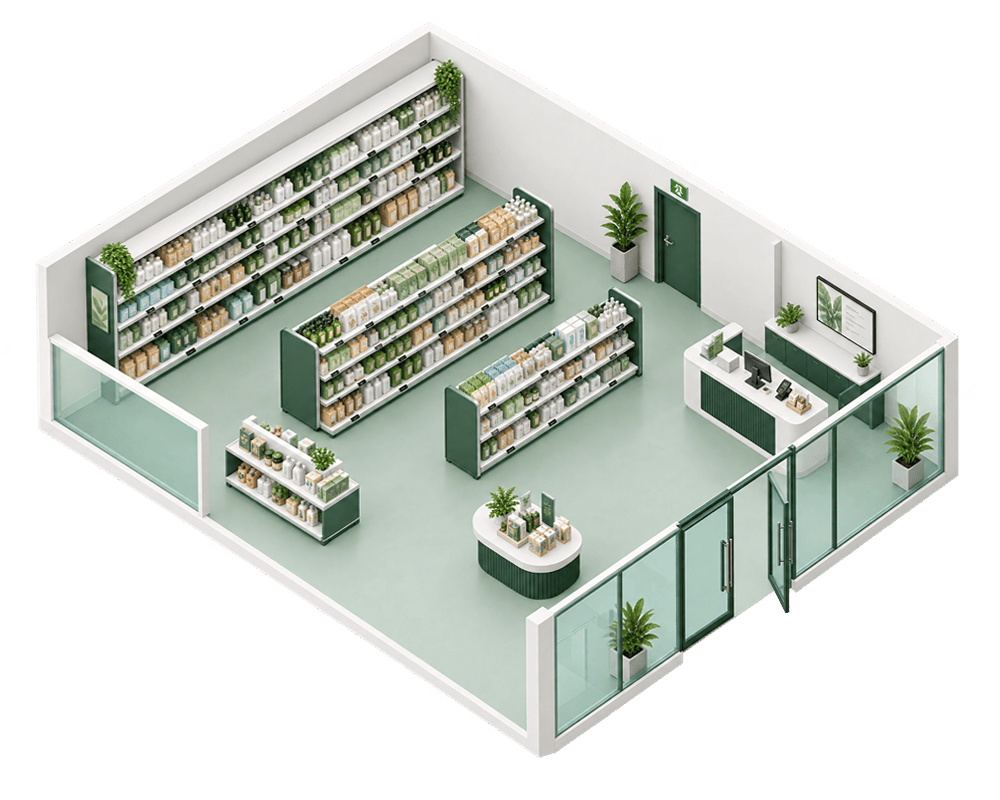
Frequent campaign changes put pressure on retail teams. Printing, replacing, and checking displays takes time, while coordinating updates across multiple stores adds another layer of work.
Manual Updates Add to Store Workloads
Staff must remove expired offers, print new materials, and replace signs across the store. Missed updates can leave outdated promotions on display and confuse shoppers.
Inconsistent Updates Across Stores
When stores update displays at different times, campaign messages can fall out of sync across the retail network. Head office must spend more time checking compliance and following up on missed updates.
Power Access Limits Digital Signage Placement
Wired digital displays need access to power, which can limit placement options or require additional cabling and installation work. This makes it harder to deploy screens in locations without convenient power outlets.
SCENARIO 01
Large-Format E-Paper
Promotional Boards and In-Store Posters
Update campaigns, catalogs, and brand stories without another print run.
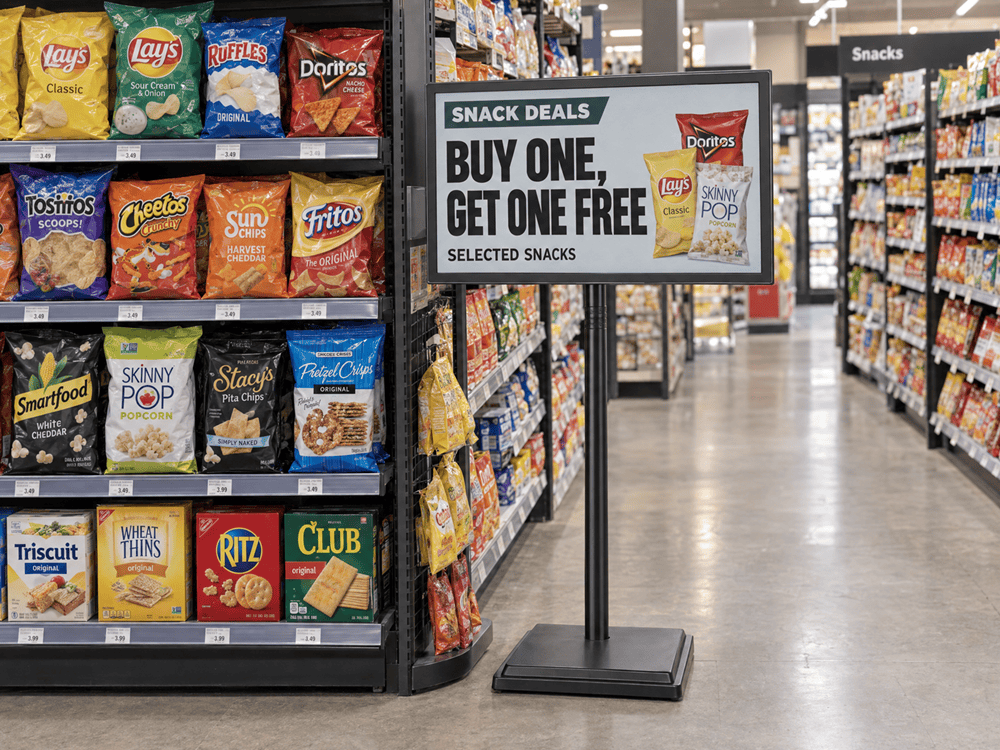
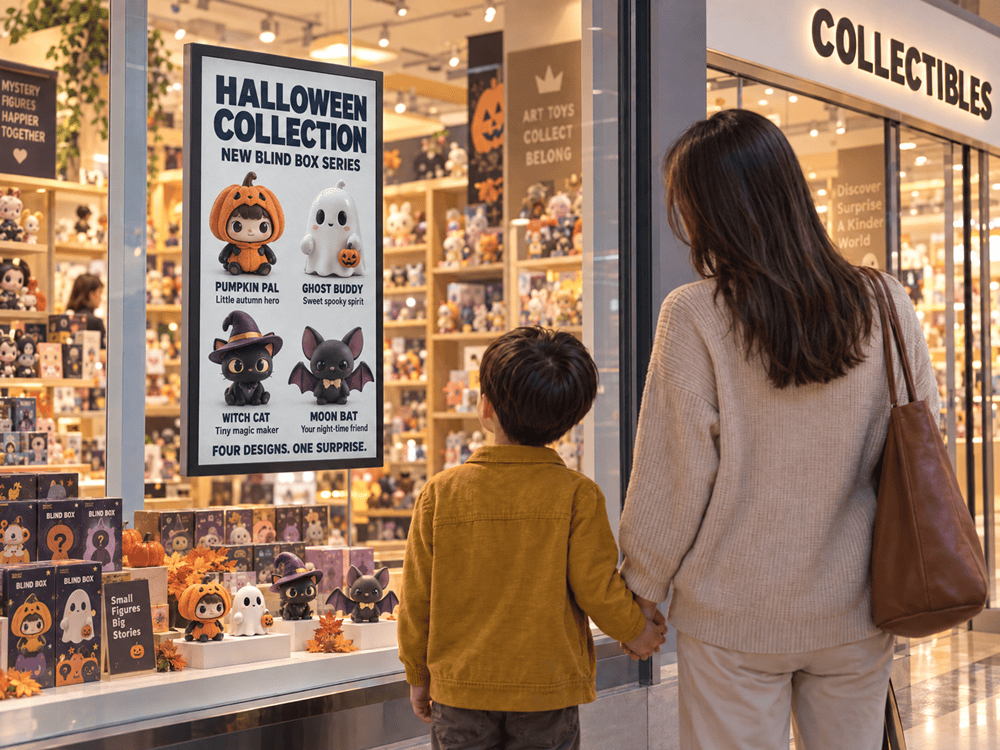
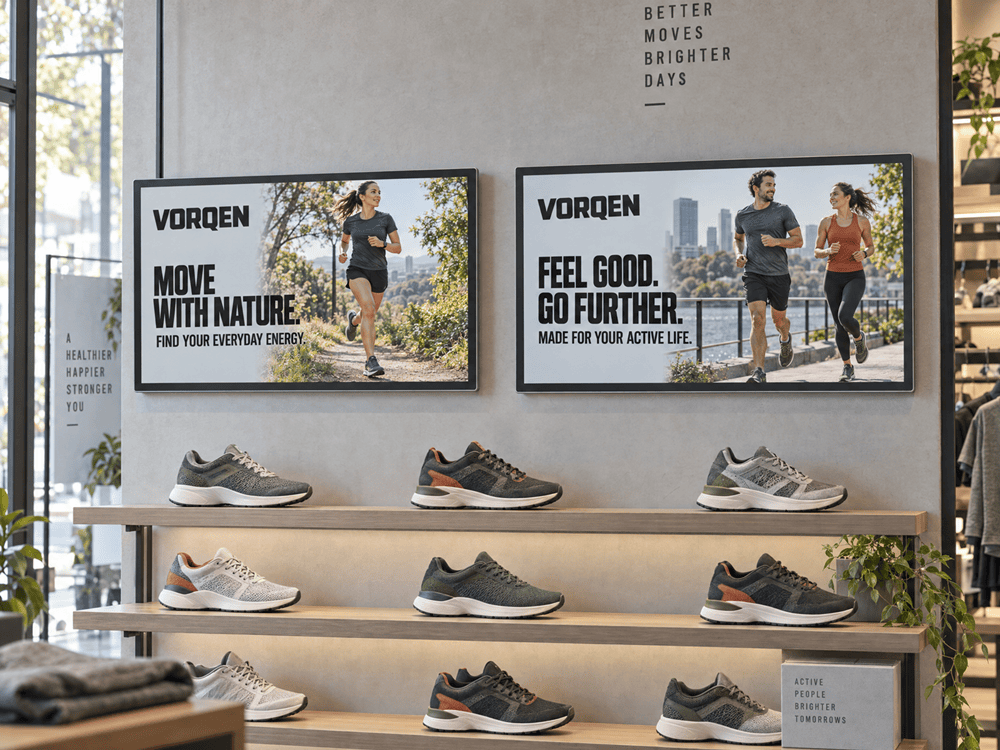
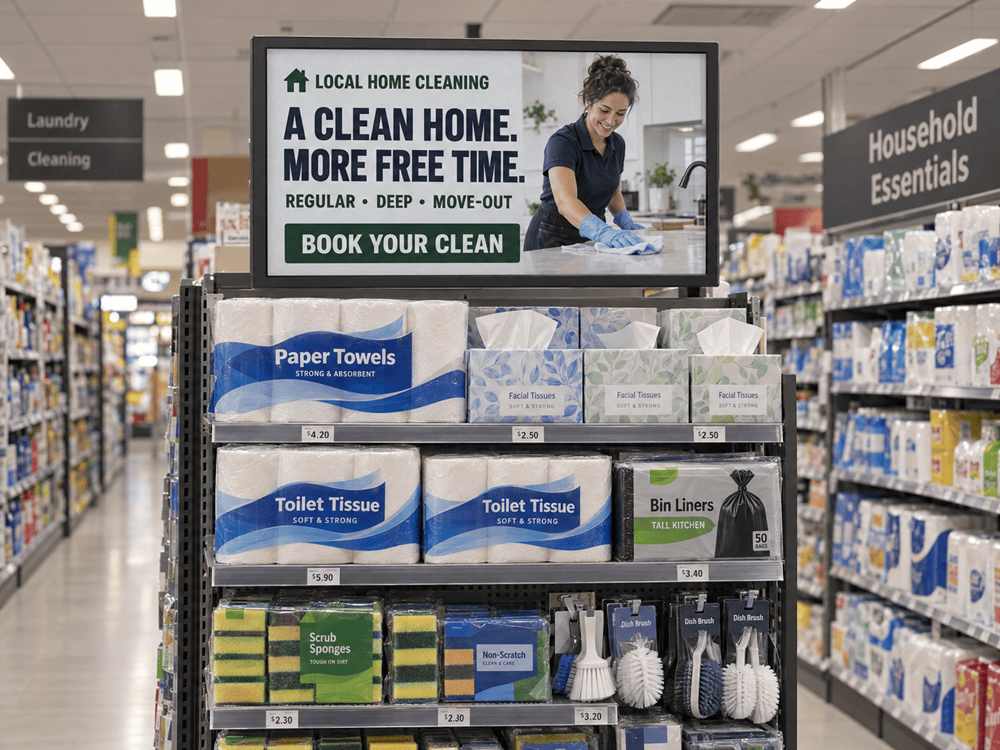
Printed posters need to be replaced as campaigns and product collections change. The VE315 31.5-inch full-color e-paper display offers a reusable alternative for retail promotions and in-store communication. Its slim, lightweight design and low power consumption support flexible placement without the need for fixed power and network cabling.
Present Store-Wide Promotions
Give seasonal offers, featured collections, and in-store campaigns a dedicated display instead of producing a new poster for each change.
Keep Product Catalogs Current
Show shoppers your product range and featured items. Update the catalog when collections change, without replacing the display itself.
Give Brand Stories a Place in the Store
Use an electronic poster to share your brand’s origins, values, and craftsmanship alongside campaign visuals.
Manage Campaign Content Remotely
Use uink RMS to schedule content and send updates to selected displays, reducing the need to change each promotional board on site.
Recommended models
- VE315 31.5-inch full-color e-paper display
SCENARIO 02
Product Promotion
Displays
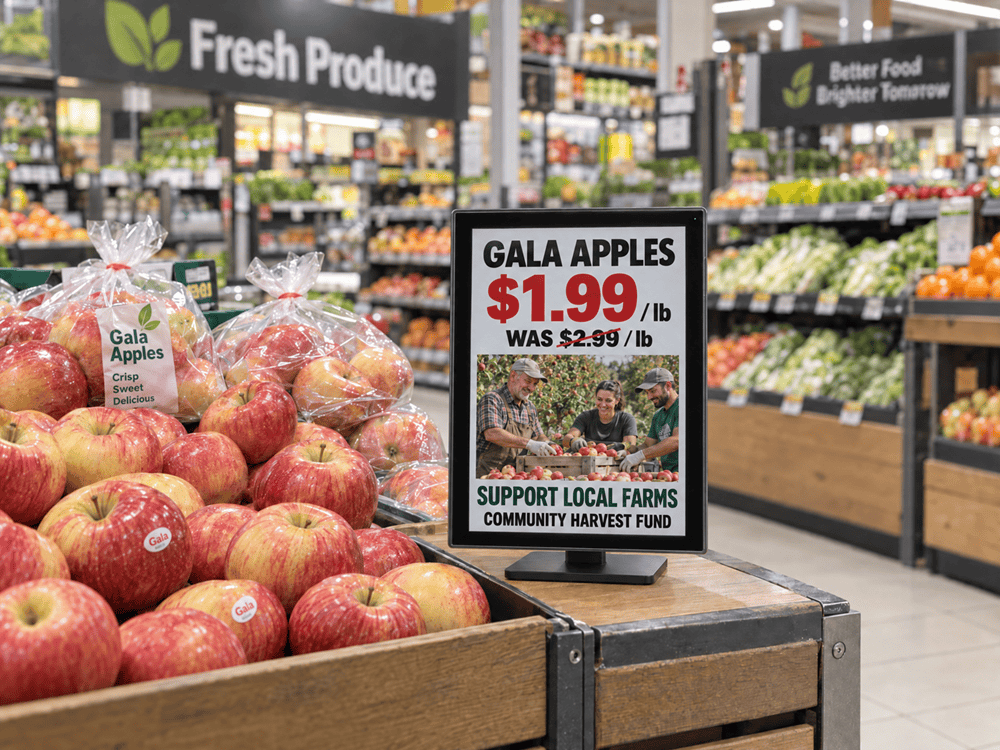
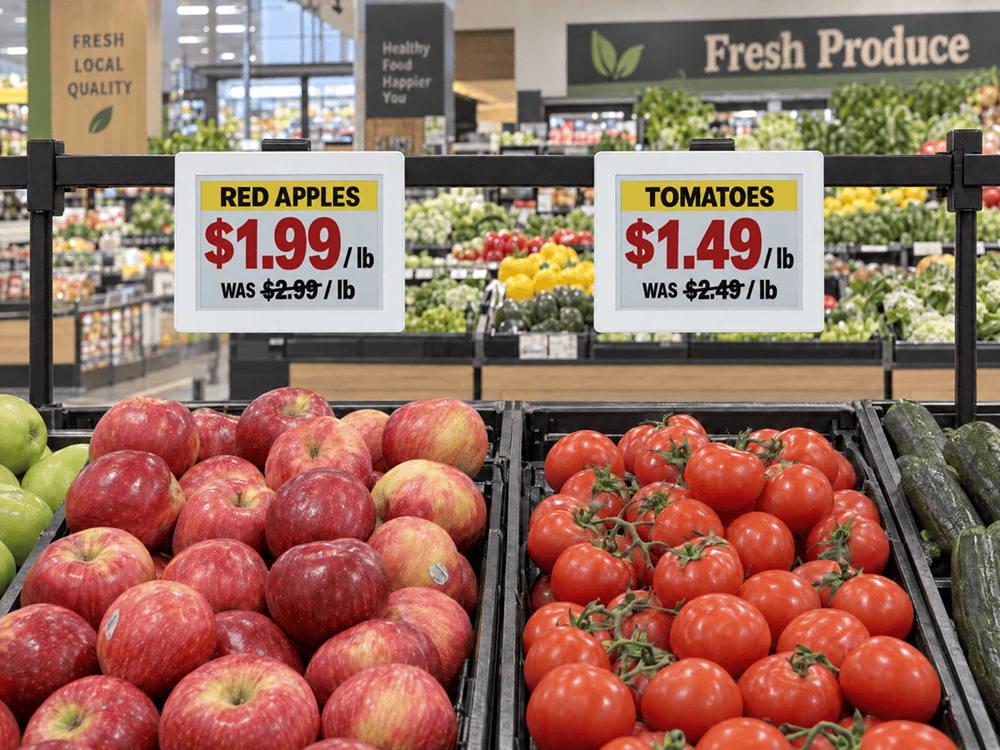
At product displays and sales counters, shoppers need more than a campaign headline. Compact e-paper displays put product details and promotional information within easy reading distance, without taking over the space.
Product-Side Promotion
Place a display beside featured merchandise to explain the offer, highlight product features, or share the brand story. Four-color content can emphasize key details, while full-color visuals support richer product storytelling.
Promotion at the Counter
Use counter space to present bundle offers, add-on products, or current promotions as shoppers speak with staff or prepare to pay. E-paper keeps the offer visible with low power use, and remote updates let teams change campaigns without reprinting counter cards.
Recommended models
- VC097 9.7-inch four-color e-paper display
- VE100 10-inch full-color e-paper display
- VE133 13.3-inch full-color e-paper display
SCENARIO 03
Wayfinding Displays
and Counter Notices
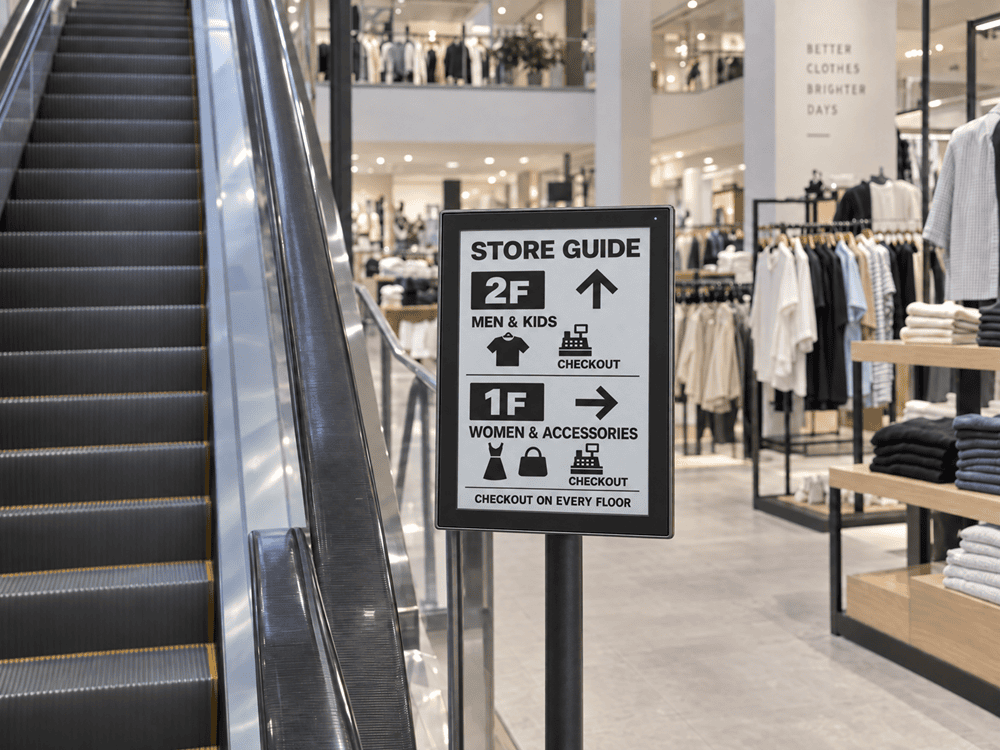
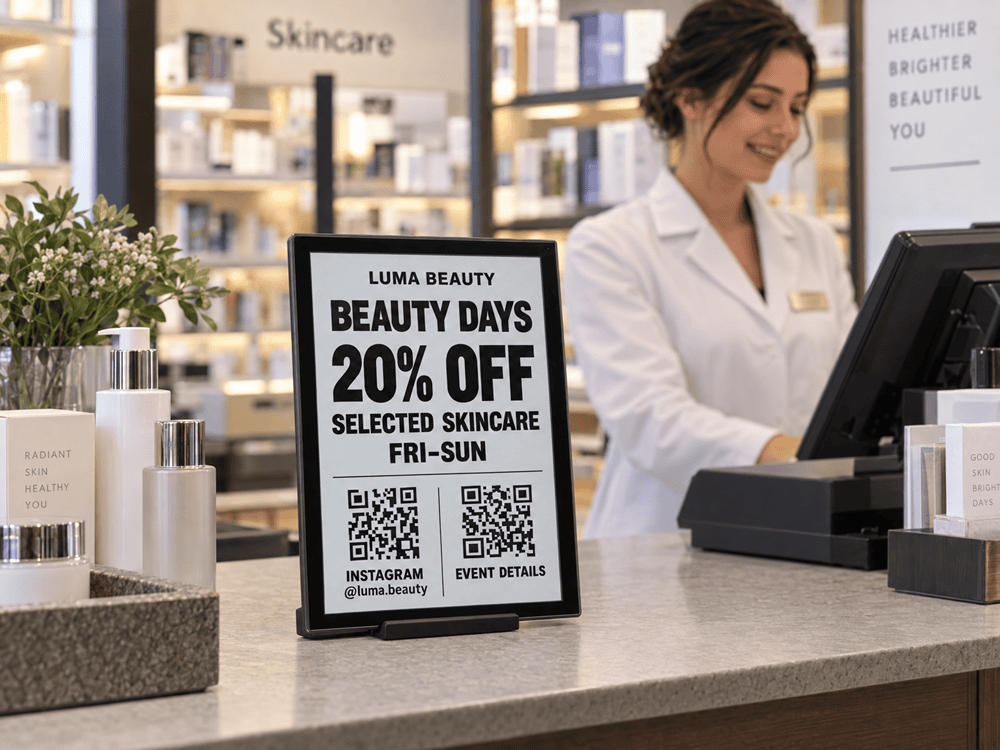
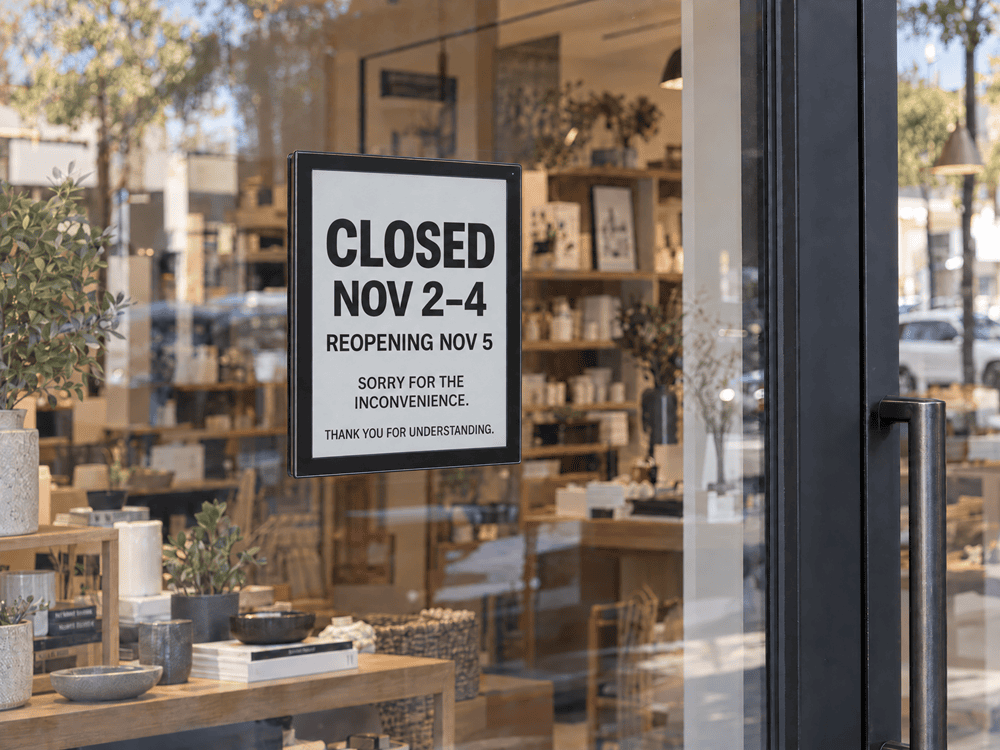
From department entrances to service counters, shoppers need clear directions and practical instructions. Medium-sized monochrome e-paper displays keep these text-focused messages easy to read, with low power consumption and wireless placement.
Wayfinding Displays
Show department names and directional arrows to help shoppers find checkout, customer service, and pickup points. Update the signs remotely when the layout changes, rather than replacing printed boards.
Counter Notices
Display payment guidance, pickup instructions, and service announcements at the counter. High-contrast text helps shoppers read the information, while reusable displays reduce the need for temporary paper notices.
Recommended models
- VB097 9.7-inch black-and-white e-paper display
- VB133 13.3-inch black-and-white e-paper display
WHY UINK?
Built for Retail
E-Paper Signage
Choose the right e-paper display for each retail application, with flexible connectivity, power options, and content management to support deployment across store locations.
Low-Power E-Paper Displays for Retail
E-paper retains its image without continuous screen power and offers paper-like readability without a backlight. It suits promotions, product information, and notices that stay visible between updates. Actual power consumption depends on connectivity, settings, and update frequency.
Wireless Connectivity for Retail Digital Signage
Wi-Fi supports wireless deployment, while optional LoRa or Cat.1 configurations address different connectivity needs. Choose the right option based on network coverage, installation conditions, and deployment scale.
Remote E-Paper Management and CMS Integration
uink’s Open APIs support integration with compatible digital signage CMS platforms and custom workflows, depending on system requirements.
Flexible E-Paper Display Installation
Bracket and adhesive mounting options support different retail environments, reducing reliance on nearby power outlets, while the VE315 can also be installed on a floor stand.
Rechargeable Battery Options for E-Paper Displays
Rechargeable battery configurations help simplify power planning and reduce reliance on disposable batteries. Choose the model and power setup based on update frequency, charging access, and maintenance requirements.
GET IN TOUCH
Which E-Paper Display
Fits Your Retail Space?
Tell us what you need to show, where the displays will go, and how often the content changes. Whether you are planning one promotional zone or a multi-store rollout, our team can help you compare display sizes, color options, connectivity, and power configurations.
Discuss Your Retail Project
Loading enquiry form…